Description
Current State
I do not have a portfolio to present to people.
Target State
To have a document, or a collection of documents, with projects I developed over the years so people (and myself) can see my work.
Release Criteria: Disambiguation
The issue is solved when there are documents publicly available on the internet with projects I worked on over the years.
How: Map Changes
Seek/list possible solutions and Understand/map the implications/impacts of each of the solutions.
Markup Language
The first part of the problem is: what format am I going to use to write the documents? What are my options? Given the format, I should also consider how to make it available online. Well, there are many possible solutions here:
- Latex ❌
- I have been using Latex to write academic documents for a long time and I like it a lot. It is powerful and extensible, it has a rich package ecosystem, and there are many resources online (tutorials, Q&A, ...). I could publish projects in the format of a scientific paper or a technical report. Would people read boring papers? Probably not 😅! Is it easy to access and read? Well, people may prefer to download it instead of reading it on the browser. Given that no one has the Downloads directory clean, it is unlikely they are going to make the effort.
- Markdown ❌
- Latex is cool but it may be too much for what I want. Markdown on the other hand is much cleaner and simpler. It allows me to focus on the content and write things quickly, without having to worry about anything else. Moreover, there are many projects on the internet that transform markdown into webpages. In the past, I used Hugo, which is nice for people who just want to put content on a webpage. You pick a theme, add your content, and voilà, you have a good-looking page. However, my requirements are different, I want to have more power over the technology I am using, and I want to know how it works under the hood.
- Docs ❌
- Simply no! 😤
- HTML ✅
- This is "the language of the web". There is one problem though: it has a steep learning curve because one has to learn HTML, CSS, JavaScript, and possibly some framework. But really, is that a bad thing? Actually, I have been neglecting frontend for quite some time now in my career when I should not. This seems to be a nice opportunity to focus on it, learn the foundations of those technologies, and use them for the rest of my life. Besides, I have been using Python to create visualizations, and maybe HTML+JavaScript would be a better choice in some situations. This can pay off in many ways... Finally, this is the most accessible solution: EVERYONE has access to a web browser.
Framework
I chose to use HTML. Will I use pure HTML+CSS+JavaScript (code everything by hand) or will I use a framework such as React, Angular, Vue, and Svelte? I am going for the former because I want to learn the fundamentals of web development, so using only those technologies maximizes my learning. It may be more difficult to build a good-looking website, but that is part of the journey.
Static or Dynamic Website
Only one part of the problem has been solved: how to write and format the content. There are many other pieces in this puzzle. Do I want a Static Website or a Dynamic Website? Dynamic websites would require me to learn and use a web application framework such as Django, Express, Ruby on Rails, ... Hosting would also be more complicated since I would have to keep a server running the service. On the other hand, it gives me more power. Static websites are simpler, I can implement them only with HTML, CSS, and JavaScript and any tool that can serve files can host it.
In my case, I do not currently need the power that comes with web application frameworks, I simply need a page that can be served as a file. So, I decided to use Static Websites.
Hosting
I want the easiest and cheapest thing available for now (later on, I think about improving it). What are my specific requirements? I want to host a static website! What are the easiest and cheapest tools that get the work done? Github pages and Cloudfare Pages just get it done. Since I have previous experience with GitHub Pages, I am going to use it.
Learning
I do not know how HTML and CSS. Though I do know JavaScript, I have little experience in using it to manipulate the DOM. It means that I need a resource to learn. So, what are my requirements? A good course for me must:
- give me a certificate, optimally from a university;
- start from the basics (I prefer to assume no prior knowledge, I guess I will learn more and better in that way);
- be short so I can get started quickly;
- teach me enough to develop the portfolio project;
- be cheap
I have the following options:
- Coursera ✅ I have free access because of my university (Unicamp). It is taught by universities, it gives certificates, and I liked the previous courses I did, they are very good;
- CodeAcademy ❌: expensive, and the free plan doesn't give a certificate;
- Udemy ❌: no! I have done courses there and some are good, but I do not like how they do things on the platform;
- W3School ❌: too simple;
I opted for the Web Design for Everybody: Basics of Web Development & Coding Specialization - University of Michigan:. The links to each course in the specialization are available in the implementation-learning section.
Solution Proposal
Write the pages by hand using HTML, CSS, and JavaScript and host it as a static website on GitHub Pages. Do the web development course and develop the website along the way.
Implementation
For the final project of the course, I decided to develop a portfolio webpage! Here, I am going to document all the design phases.
Sketches
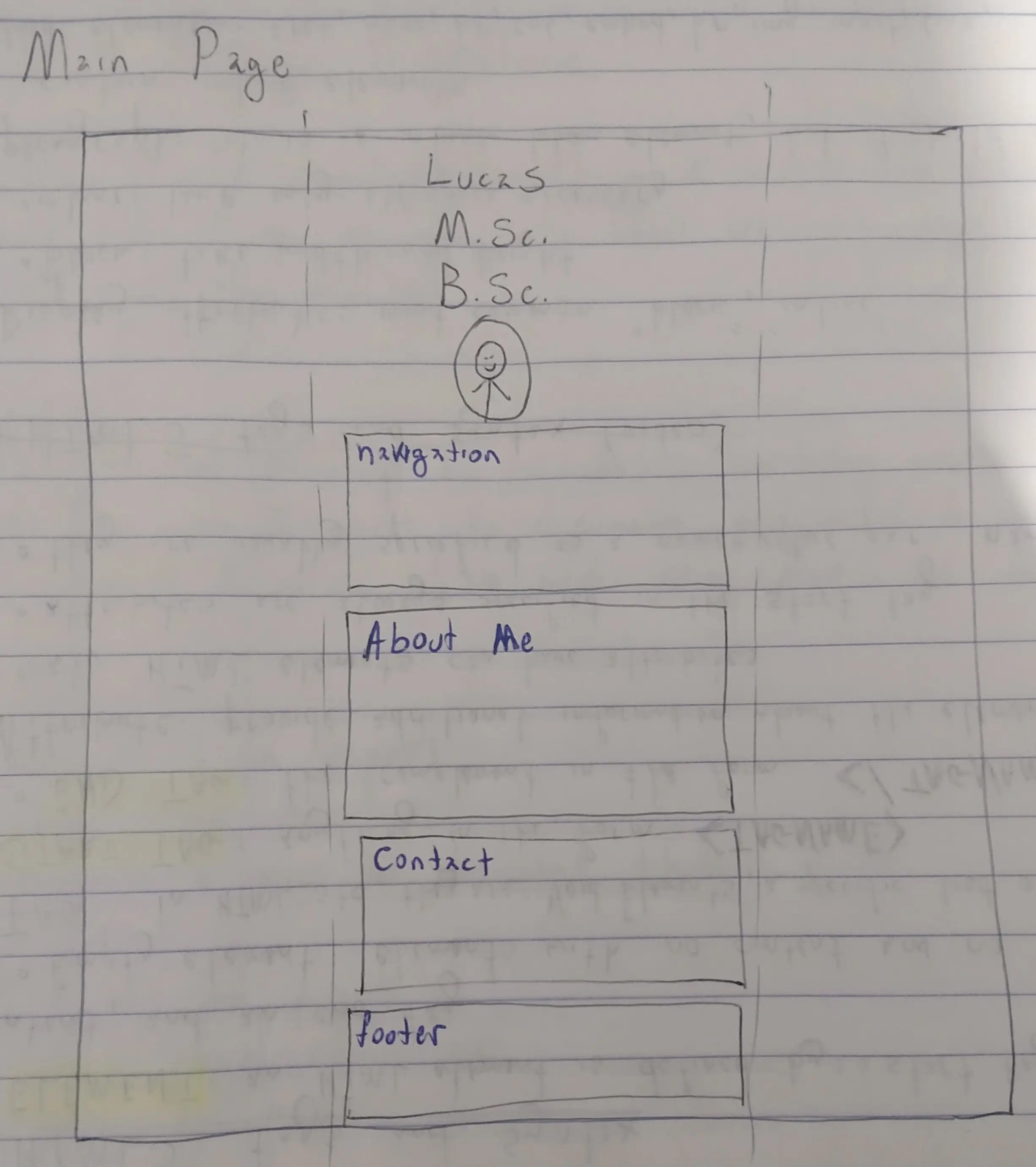
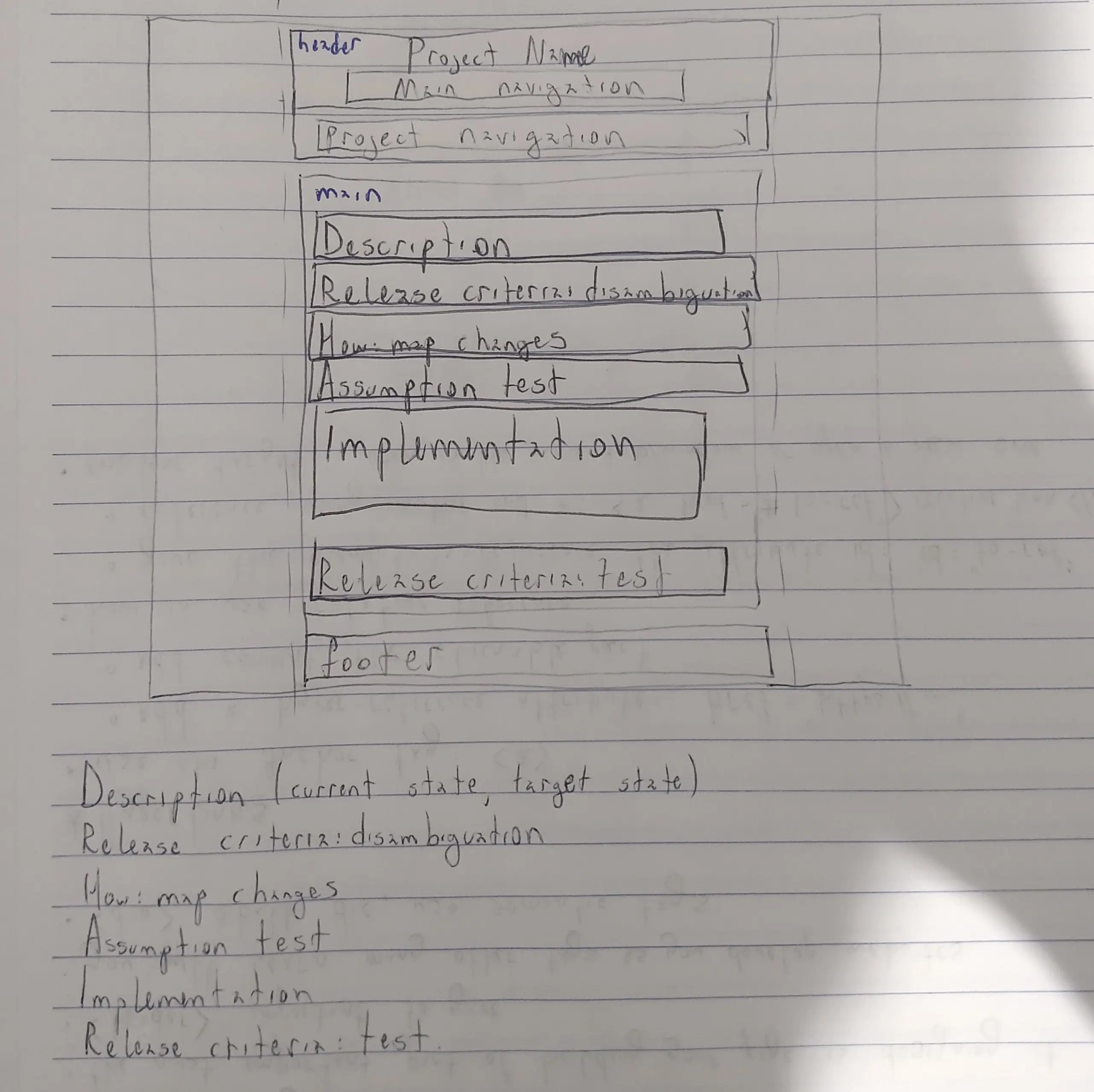
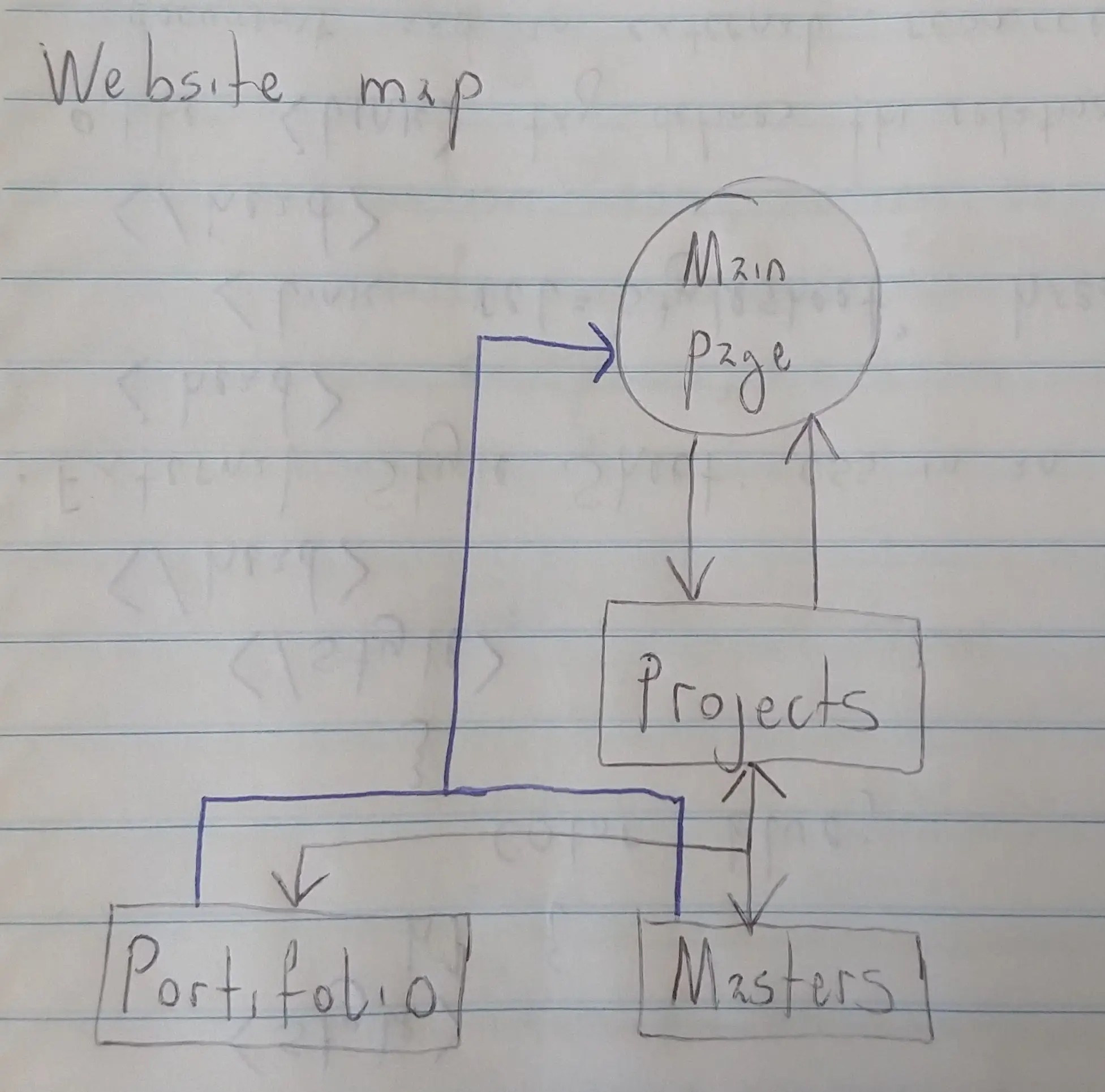
Carousel
Have you notice the Carousel above? It does not use any external library. I could have used something like Bootstrap Carousel but I have more fun and I learn more by implementing it myself!
Color Palette
I like dark pages, so I did mine using a dark color palette. For that, I used Coolors. With that, I selected the following colors:
- black:
#000000- davys-gray:
#5E5E5E- silver:
#C0C0C0- antiflash-white:
#EBEBEB- white:
#FFFFFF
Inspirations / Examples
Before implementing, I checked some nice personal websites. I wanted to identify characteristics I like and that I do not like. Below is a list of websites I used as inspiration:
- Mateus Felipe Colla (page on web archive);
- Coding Horror (page on web archive);
- Ava's blog (page on web archive);
- Dhole (page on web archive);
- Rishi (page on web archive);
- Jean de Dieu (page on web archive);
- Touhidul Islam Chayan (page on web archive);
I realized that what I wanted was a clean page, with the text in a readable and comfortable width. I did not want anything fancy: no animation, nothing hidden, no drop-down menu. Just a page for people to read with a navigation menu on top.
Internal and Extenal Links
- Internal Link: a link to a page on this website;
- External Link: a link to a page outside this website;
This matters for a simple reason, external links must open in a new tab/window, while internal links must open in the same tab/window. It would be a pain in the ass to do that by hand with every link but it is easy to do it with JavaScript. So, I implemented a script to go through all links and set the correct value for the target attribute: _blank for external links and _self for internal ones. The code can be found in the JavaScript file that sets the target attribute of links.
Learning
This project has been very good for me to learn the fundamentals of frontend development. With this, I concluded 5 courses and a specialization:
- Web Design for Everybody: Basics of Web Development & Coding Specialization - University of Michigan: (internet archive)
- Introduction to HTML5 - University of Michigan (internet archive)
- Introduction to CSS3 - University of Michigan (internet archive)
- Interactivity with JavaScript - University of Michigan (internet archive)
- Advanced Styling with Responsive Design - University of Michigan (internet archive)
- Web Design for Everybody Capstone - University of Michigan (internet archive)
Demo
Video recorded with Peek and compressed with FFMPEG, with the command below:
ffmpeg -i input.webm -c:v libvpx-vp9 -b:v 0 -crf 60 -deadline best -row-mt 1 -an -c:a libopus -b:a 96k -ac 2 output.webm
Release Criteria: Test
How many projects did I decide to add? Only one, this portfolio page. I intend to add more projects but for now, it is enough.
The documents are publicly available at my personal Github page.
Solved
The original version is in commit 08d4ed70551380d87c72840903cc2afabfbf0d9a.
What are the next steps?
- learn more frontend-related things, such as jQuery or AJAX;
- learn frontend frameworks:
- learn graph libraries:
Those are just ideas. What I am actually going to do depends on the requirements of the next project...